How to backup your Microsoft 365 Authenticator credentials
Backup Microsoft Authenticator settings
***Microsoft operates Microsoft Authenticator from its Entra ID service and procudeures in this post have been superceded with effect from September 2025. Instead, click here to read the latest guidelines for Microsoft Authenticator MFA account backup.***
*****
Backup and restore your Microsoft 365 multi-factor authentication (MFA) credentials to restore access to 365 dashboards in the event of a lost or stolen mobile phone.
This option is especially useful for 365 tenancy owners/global administrators. For example, if you are a 365 tenancy owner/Global Administrator (global Admin) then you cannot turn to a higher authority to re-establish credentials if your credentials are lost.
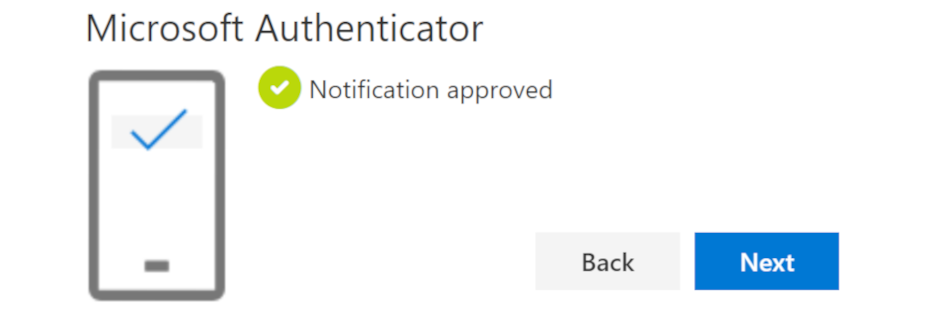
Click on the headers below to find out how to backup Microsoft Authenticator on Apple and Android mobile phones.
Why backup has to be configured
Microsoft Authenticator data is not included in iCloud and Android mobile phone backups because the security keys are critically sensitive. Instead, you can organize Authenticator data backups in Microsoft Authenticator app settings. Authenticator backups can then be saved to Google Drive/iCloud, however you have to be verify identity against a Microsoft account to validate your identity when restoring credentials.
Microsoft Account vs Microsoft 365 account
You need a Microsoft account to backup and restore Microsoft Authenticator credentials. A Microsoft account and a Microsoft 365 account are two different entities. Without a Microsoft account you cannot back up your 365 credentials.
If you have a Microsoft account, but you have fogotten your credentials, you may need to establish a new Microsoft account. Do not lose the credentials to your Microsoft account. If you forget these credentials, you will not be able to connect Microsoft Authenticator on a new mobile phone to restore your settings. This would be catastrophic, so be sure to document your Microsoft Account credentials.
How to backup Microsoft Authenticator
Use the steps below to configure backup in Microsoft Authenticator settings. The process may vary from notes here because Microsoft updates its processes periodically. Also, the process might vary depending on your mobile phone hardware and operating system. Either way, prompts are not difficult to follow. These tips will steer you in the right direction:
- Open Microsoft Authenticator on your mobile phone
- Access Settings: Tap the three vertical dots at the top right corner and select <Settings>
- Enable <Backup>*
- Depending on your hardware, provide your Microsoft Account credentials if/when asked**
* Apple users will need to be sure Authenticator is logged in to iCloud.
** In some cases, users may already be logged in to existing Microsoft Accounts, however the backup process will direct you to provide credentials as necessary.
Recovery & Summary
To recover your credentials, install Microsoft Authenticator on your new mobile phone. Usually, the <Welcome> screen offers an option to <Begin Recovery>. This option depends on your hardware and software versions. The process is a little different for Apple and Android users, and is easily executed provided you have the credentials for iCloud/Google account, and your Microsoft Account.
You should periodically check Authenticator backup settings to verify backups are current. Authenticator app settings will confirm when your credentials were last backed up.
Authenticator offers options in settings to override Android or Apple screen-lock defaults. Also, some Apple and Android versions may need Authenticator enabling to run in the background. This can be checked in Authenticator settings.
Summary
Tenancy owners and global admins do not have scope to resort to a higher authority to restore access to a 365 dashboard if their mobile phone is lost or destroyed. Therefore it is crucial to your organization’s IT continuity to protect your access settings to 365 Admin. Microsoft Authenticator enables you to restore existing credentials which cannot otherwise be found in Android and Apple backups.
For help, contact us using WhatsApp via our web site, or by phone.
About ComStat.uk: Internet Service Provider Comstat provides IT support, web hosting, and media services including web design, Microsoft 365 setup, and audio/video production, serving businesses across Denbighshire, North Wales and Wirral from Ruthin, and Lancashire and the Northwest from Bolton.