Why Microsoft Is Retiring SMS Authentication and What You Need to Do
Microsoft Entra Passkeys are being enforced for business users in ealry 2027. This significantly reinforces account security at a time when phishing attacks and malicious intrusion is mushromming. Microsoft-provided SMS and voice authentication for Microsoft Entra ID will retire on 1 February 2027, with passkeys becoming the preferred authentication method.
If you are a Micrsoft 365 tenancy owner you need to be ready for this change. For instance, business owners may need to help staff update their sign-in routine. Recently, some users who only consider themselves Microsoft account holders have received notifications about this as well. This has led to understandable confusion about who is affected and whether any action is required.
The good news is that the change is straightforward once you understand the difference between a Microsoft account and a Microsoft Entra tenant. Also, this article will help you understand how you can determine if you need to action anything if you do not believe you are affected by this.
Click open the headers below to learn more about how Microsoft Entra Passkeys to prepare for Microsoft’s new credential system. Support options are available for professional assistance. You can return to our Index of Articles by clicking here.
What Are Microsoft Entra Passkeys?
A passkey is a modern authentication method designed to replace traditional passwords and SMS verification codes.
Instead of receiving a text message or entering a password, users authenticate using a trusted device such as:
- Windows Hello
- Face recognition
- Fingerprint authentication
- A security key
- A mobile device linked to the account
Microsoft Entra passkeys are classed as phishing-resistant authentication. This means they are far more difficult for attackers to steal, intercept, or misuse than passwords, voice verification, or SMS codes.
As cybercriminals increasingly rely on phishing campaigns, Microsoft and other major technology companies are moving towards authentication methods that do not depend on passwords or mobile text messages.
Why Is Microsoft Retiring SMS Authentication?
SMS authentication has served organisations well for many years, but it has several weaknesses.
Attackers can:
- Trick users into revealing authentication codes
- Conduct SIM-swap attacks
- Intercept messages in some circumstances
- Use social engineering to bypass protections
Passkeys solve many of these problems because authentication occurs directly between the device and Microsoft’s identity platform.
From Microsoft’s point of view, Microsoft Entra passkeys provide a much stronger security baseline for business and organisational accounts. The company is therefore encouraging all affected users to transition before the retirement date.
Who Is Affected?
If you manage a Microsoft 365 Business tenant, Microsoft Entra tenant, Azure subscription, or related cloud services, you should assume that this announcement applies to you.
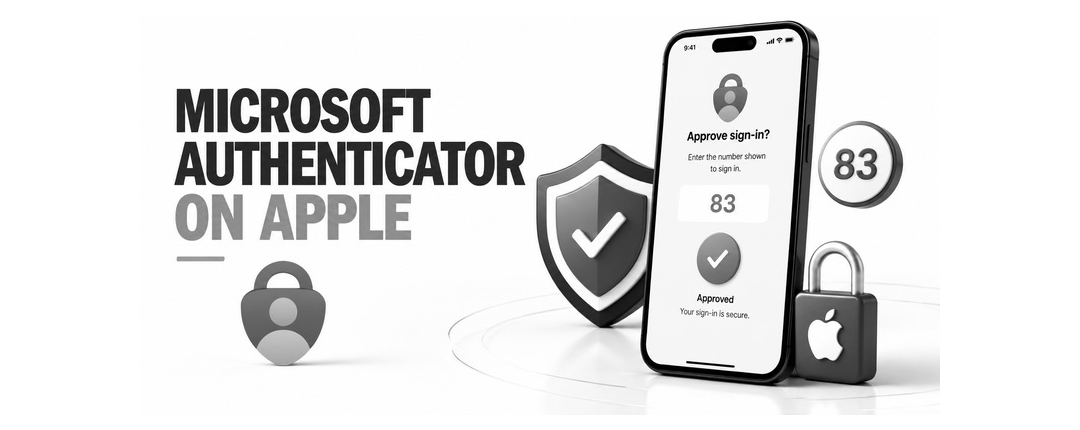
Even if you already use Microsoft Entra Passkeys using Microsoft Authenticator, you might have some users who still rely on SMS-based multi-factor authentication (MFA). Often, this is because handsets are too old for tools like Microsoft Authenticator to operate on. Those users will need to migrate to a phishing-resistant authentication method before February 2027.
If you only use services such as:
- Outlook.com
- Hotmail
- Xbox
- OneDrive Personal
- Microsoft 365 Personal
- Microsoft 365 Family
you might not be affected.
However, there is an important exception.
Some people created Microsoft cloud services years ago and unknowingly obtained a Microsoft Entra tenant in the background. Microsoft may therefore send administrative notifications to accounts that appear to be ordinary Microsoft accounts.
How to Check If You Have a Microsoft Entra Tenant
If you receive one of these notifications and are unsure whether it applies to you, perform a simple test.
Visit the Microsoft Entra Admin Centre:
Sign in using the email address that received the notification. You will usually experience one of three outcomes:
Option 1: No Access to a Tenant
If Microsoft reports that you do not have access to a tenant or administrative resources, the notification is unlikely to require any action.
In most cases, personal Microsoft account users can safely disregard the message.
Option 2: Access to a Tenant
If the portal opens and displays tenant information, directory details, or administrative options, Microsoft considers you to have responsibility for an Entra environment.
You should review your authentication methods before the retirement deadline.
Option 3: A Forgotten Trial or Subscription
It is surprisingly common to discover an old Azure trial, Microsoft 365 test tenant, or developer environment that was created years ago.
If one exists, determine whether it is still required. If it remains in use, the transition to Microsoft Entra passkeys should be planned.
What Should You Do?
If you own a Microsoft 365 tenancy, or if your email addressis implicated in Microsoft services listed above which list you in Microsoft Entra, you should begin preparations well before 2027. Recommended actions include:
- Review authentication methods currently in use.
- Identify users relying solely on SMS or voice authentication.
- Check that mobile devices are able to install Microsoft Authenticator app
- Enable Microsoft Entra passkeys where appropriate.
- Encourage Windows Hello or FIDO2 security key adoption.
- Communicate upcoming changes to users.
- Test authentication workflows before enforcement begins.
Early adoption reduces the risk of support calls and avoids users being surprised by registration prompts later.
Benefits Beyond Compliance
The move to Microsoft Entra passkeys is not simply another administrative requirement. Identity theft is increasing sinificantly and improved security is not just for business users. In fact, if you are a consumer user and you believe your security is satisfactory even with SMS Authentication, you are in a high risk target group.
Imagine waking up one morning to discover that a malicious party has appropriated control of your online retail and banking accounts, and that they are using your identity to buy expensive luxury watches at auction houses for which payment is intended to be drawn against your savings? If this sounds like fiction, think again. This is just one such situation we have dealt with this year, and the trend is escalating.
Microsoft 365 users enjoy Microsoft Entra ID passkeys that offer:
- Better protection against phishing attacks
- Reduced password-related support requests
- Improved user experience
- Faster sign-in processes
- Stronger regulatory compliance
In practice, passkeys represent one of the most significant improvements to account security since multi-factor authentication became mainstream. Even if you are not a Microsoft 365 user, we suggest you think very carefully about improving secured access to email. Once an identity is stolen. building a new identity means significant costs and trouble.
Summary
Microsoft Entra passkeys are becoming the future of authentication across Microsoft’s cloud services. While many personal Microsoft account users will not need to take action, anyone responsible for a Microsoft 365 or Entra environment should review their authentication strategy now.
If you receive a notification about the retirement of SMS authentication, the first step is simple: sign in to the Microsoft Entra Admin Centre and determine whether you have access to a tenant. Once you know your status, you can take the appropriate action long before Microsoft’s February 2027 deadline.
Comstat provides independent advice on business IT choices that reduce risk, protect continuity, and support long‑term growth. If you need help with improving your ID security, please get in touch, or use our contact page to organize an appointment which suits your timetable. You can return to our Index of Articles by clicking here .