Plan for recovery
Managing your IT at workstation or even network level is about preparing for failure, rather than waiting for a problem. PC recovery tools play an important part in ongoing hardware management.
When business owners and professionals choose a laptop, the conversation usually starts and ends with price. A £250 generic Windows laptop appears to do the same job as an £800 business‑grade device. Both run Windows. Both open email. Both connect to the cloud. However, although the price looks great, the reality does not hit until the computer develops a problem. Suddenly, PC recovery tools that could remedy a problem are note available to cinch an issue.
The difference only becomes Windows or hardware problems happen. In conventional offices, ‘work” computers tend to work with finite core applications only. Home office computers do not enjoy this discipline: a user often uses a computer for recreational and social functions that would not be tolerated in an office network. This makes home office computers more difficult to diagnose and remedy. So, recovery tools SHOULD be a prime consideration when buying a computer for home/small office use.
While Windowes provides recovery tools to look after itself, inexpensive generic computers do not usually provide manufacturer hardware diagnostics and recovery available to business class hardware.
Business PC recovery tools exist for:
- failed updates
- storage errors
- firmware problems
- full operating system corruption.
Understanding how these tools work—and why higher‑quality systems manage failure better—can significantly reduce downtime, data loss, and support costs.
Click open the headers below to learn more about how Manufacturer hardware recovery tools work with Windows Recovery to provide the best capability for restoring PC faults. Support options are available for professional assistance. You can return to our Index of Articles by clicking here.
How the Windows Recovery Drive Helps Recover Windows
The Windows Recovery Drive is a Microsoft‑provided safety net. Created using a USB stick, it contains the Windows Recovery Environment (WinRE), which can be used when Windows will not start.
At a basic level, Windows recovery tools allow you to:
- Repair startup issues
- Roll back recent updates
- Reset Windows while keeping or removing user files
- Access advanced tools such as Command Prompt for manual repair
For many home users, this is sufficient. Windows recovery is generic by design. It is meant to work on almost any compatible PC regardless of manufacturer.
However, that strength is also its limitation. Windows recovery focuses solely on the operating system. It does not deeply understand the hardware it runs on, nor does it diagnose whether Windows failed because the hardware itself is deteriorating.
The Limits of Windows‑Only Recovery
When a system will not boot, Windows Recovery (see our article here) assumes that:
- The storage device is healthy
- Firmware is intact
- Drivers can be reapplied later
- Hardware faults are unlikely
In a business environment, or in circumstances where users provide consultative or professional/advisory work, these assumptions are optimistic. Instead, in keeping with professionally managed network, it should be anticipated that IT will fail and plan for the eventuality.
If a failing SSD (hard disk drive), memory error, or firmware issue is the cause of the failure, Windows recovery may repeatedly reinstall an operating system that cannot remain stable. This leads to extended downtime and escalating support effort.
This is where manufacturer PC recovery tools from the become important. This kind of utility wraps around Windows Recovery, and apart from providing early warnings for hardware failure, these kinds of utilities are often capable of reinstalling the manufacturer’s OEM version of Windows. This is useful in situations where Windows might have been optimized for the computer’s hardware performance.
Manufacturer Recovery Tools: Beyond Windows Recovery
Major PC manufacturers add their own recovery layers on top of Windows. Manufacturer tools are tightly integrated with firmware, drivers, and hardware diagnostics.
Suppliers like Acer, Asus, Dell, Lenovo, and other mature brands supply spohisticated diagnostics, early warning, and recovery tools for computers which start in intermedate price ranges and above. Availability varies on specifications so do check before buying,
For the purposes of this article we will refer to Dell’s SupportAssist OS Recovery. Dell’s bundle operates similarly to other major manufacturer solutions.
What Manufacturer Recovery Tools Typically Provide
Manufacturer or PC recovery tools like Dell SupportAssist OS Recovery typically feature:
- Pre‑boot hardware diagnostics to test storage, memory, CPU, and motherboard
- OEM‑aware Windows repair that understands the exact device model
- Data backup tools before reinstallation
- Factory image restore matched to the device
- Firmware‑level recovery when disks or partitions are damaged
These utilities are beyond Windows Recovery capability. Manufacturer PC recovery tools operate outside Windows and, in some cases, partially inside the computer’s own system firmware. This allows recovery to begin even when Windows is completely unusable. In the right hands, this software can recover computers that might be otherwise determined to be unviable to repair.
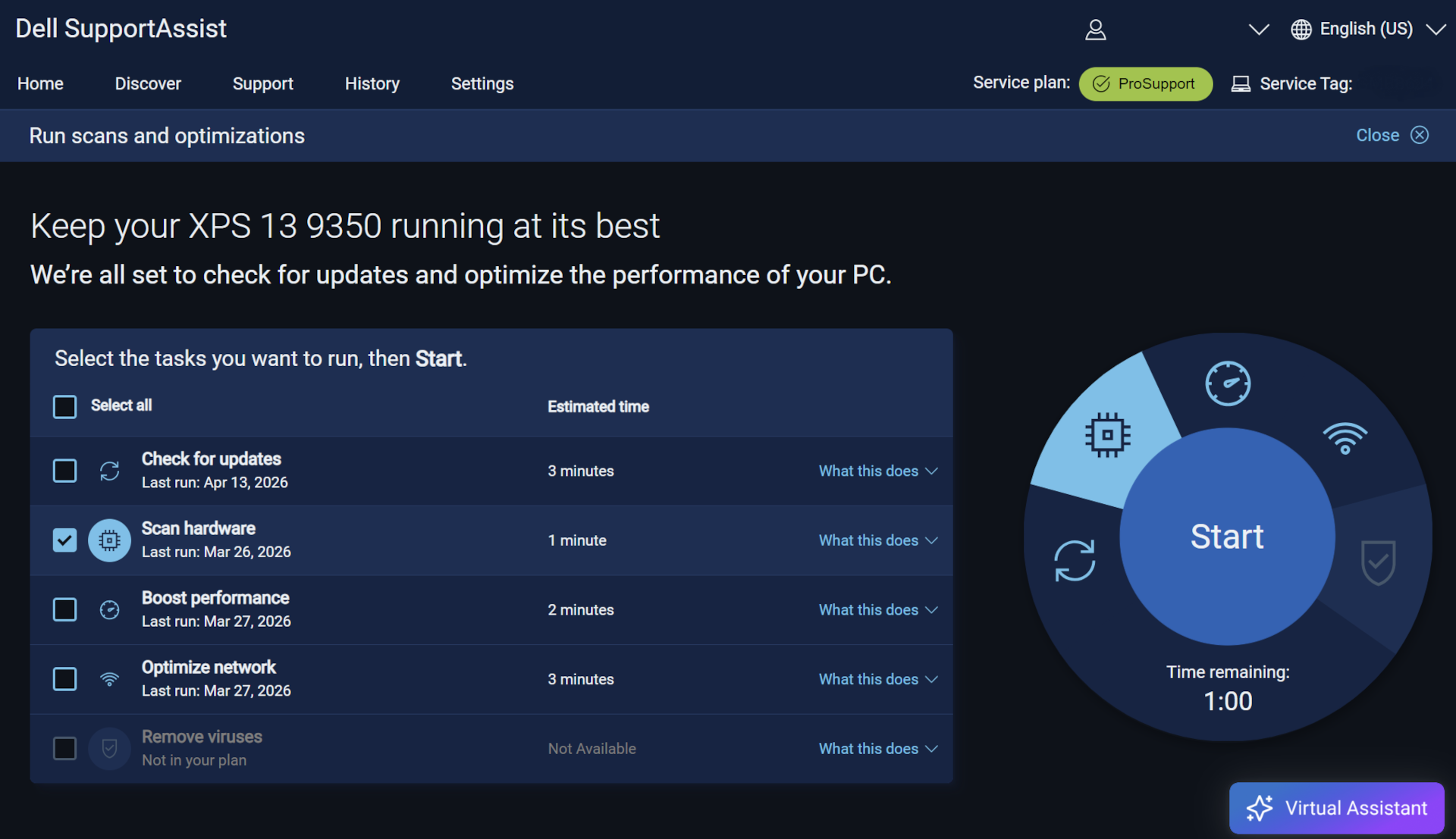
Manufacturers provide utilities like Dell’s SupportAssist OS Recovery which practively monitor performance and provide recovery tools not available in Microsoft Recovery Drive.
Why This Matters for Professional Users
From a cost perspective, the difference rarely shows up on day one. It appears later, when a device fails during a critical work period.
Without strong business PC recovery tools:
- Diagnosis takes longer
- Data recovery is riskier
- Rebuilds become manual and error‑prone
- Support costs rise quickly
With manufacturer PC recovery tools in place:
- Hardware faults are identified early
- Recovery paths are clearer
- Downtime is measured in hours, not days
- Devices can often be restored remotely or with minimal intervention
What looks like a £550 saving at purchase can easily become a £1,000 loss during a single serious failure.
The Strategic Difference Between Generic and Business‑Grade PCs
The real difference between a £250 laptop and an £800 business‑grade device is not performance. It is survivability.
Business‑grade systems are designed with the expectation that:
- Failures should be expected
- Mission critical devices must be recovered quickly
- Data must be protected
- Support needs to scale
These expectations are embodied in better business PC recovery tools for professional-level equipment, not just stronger materials or better keyboards.
Summary
Microsoft Windows’ Recovery Drive remains useful and should still be part of a basic disaster‑recovery plan. However, it is only one part of a comprehensive disaster recovery approach.
Manufacturer PC recovery tools—such as Dell SupportAssist OS Recovery—wrap around Windows recovery to provide diagnostics, data protection, and device‑specific restoration that Windows alone cannot offer.
For businesses, or users who rely on their computer for time-constrained productivity, choosing devices with strong recovery ecosystems is not a luxury. It is a practical investment in continuity, resilience, and predictable support costs.
If you are managing systems for the long term, recovery capability matters just as much as processor speed or storage size.
Comstat provides independent advice on business IT choices that reduce risk, protect continuity, and support long‑term growth. If you need help configuring email, please get in touch, or use our contact page to organize an appointment which suits your timetable. You can return to our Index of Articles by clicking here .