
Event Ticket Software for WordPress: A Practical Guide for Charities and Community Groups
Charities, museums, heritage organisations, and volunteer groups need a simple way to advertise events and sell tickets online. The challenge is finding event ticket software for WordPress that is affordable, easy to use, and still manageable when trustees, officers and volunteers change over time.
A ticket/reservation system needs be simple enough that a new trustee can learn it quickly without specialist technical knowledge.
This article examines four popular options and explains which organisations they are best suited to. Click open the sections below to browse our article.
What Should You Look for in Event Ticket Software?
When choosing event ticket software for WordPress, price matters, but it is not the only consideration.
A low-cost solution can become expensive if it requires hours of administration or ongoing support. Equally, a powerful system may offer features that are never used. Some software like PayPal is free.
For most charities and community groups, the key requirements are usually:
- Free, or low ongoing costs
- Easy event creation
- Online ticket sales
- Simple attendee management
- Compatibility with WordPress
- Minimal training requirements
- Seamless handover for new officers
- Long-term supplier stability
Bilingual options
If your website is bilingual, there is another consideration. Event descriptions should remain simple and clearly written so that translation services such as Google Translate can produce reliable 2nd language content, like Welsh.
Option 1: PayPal Payment Buttons
Best for:
- Occasional ticketed events
- Minimal technical knowledge required
PayPal allows organisations to create payment buttons or payment links without installing a full e-commerce platform. A button can be placed directly on a WordPress page or post, allowing visitors to buy tickets online. PayPal states that its payment buttons can be created without a full shopping system or monthly subscription.

Paypal buttons can be configured and customnized in your PayPal portal and added to website pages or posts. PayPal deals with the shopping cart, so minimal deign skills are needed to added payments options to a web page or post.
UK Banking Laws and anti-fraud compliance
PayPal can accept money for you in a matter of minutes. PayPal is still subject to UK banking and Financial Services Laws. So, if you use a business bank account, be sure that you set up a PayPal business account, make sure that the account that you establish at PayPal precisely reflects the name of your organisation's bank account. Also, be sure to provide proof of ID etc. AND wait for PayPal's positive compliance checks before you start using the facility.
Advantages
- Zero setup cost
- No WordPress plugin or software needed
- Simple to understand
- No need for a complex shop
- Accepts card payments as well as PayPal payments
- point-of sale-options for door sales
event sales limits - Easy for volunteers to maintain
Disadvantages
- No event calendar
- No post-sale attendee management
- No automated ticket lists/reports
- Poor scalability
Verdict
For organisations holding only a few annual events, PayPal remains a sensible starting point. Tickets can also be sold on the door and reconciled afterwards.
Option 2: Event Tickets and The Events Calendar
Best for:
- Most charities and heritage organisations
The Events Calendar - Event Tickets is one of the most widely used event systems for WordPress, with hundreds of thousands of active installations. The free calendar plugin can publish events, while the companion Event Tickets plugin can manage registrations and ticket sales.
The software can connect directly to Stripe or PayPal and allows organisations to collect RSVPs or paid ticket bookings.
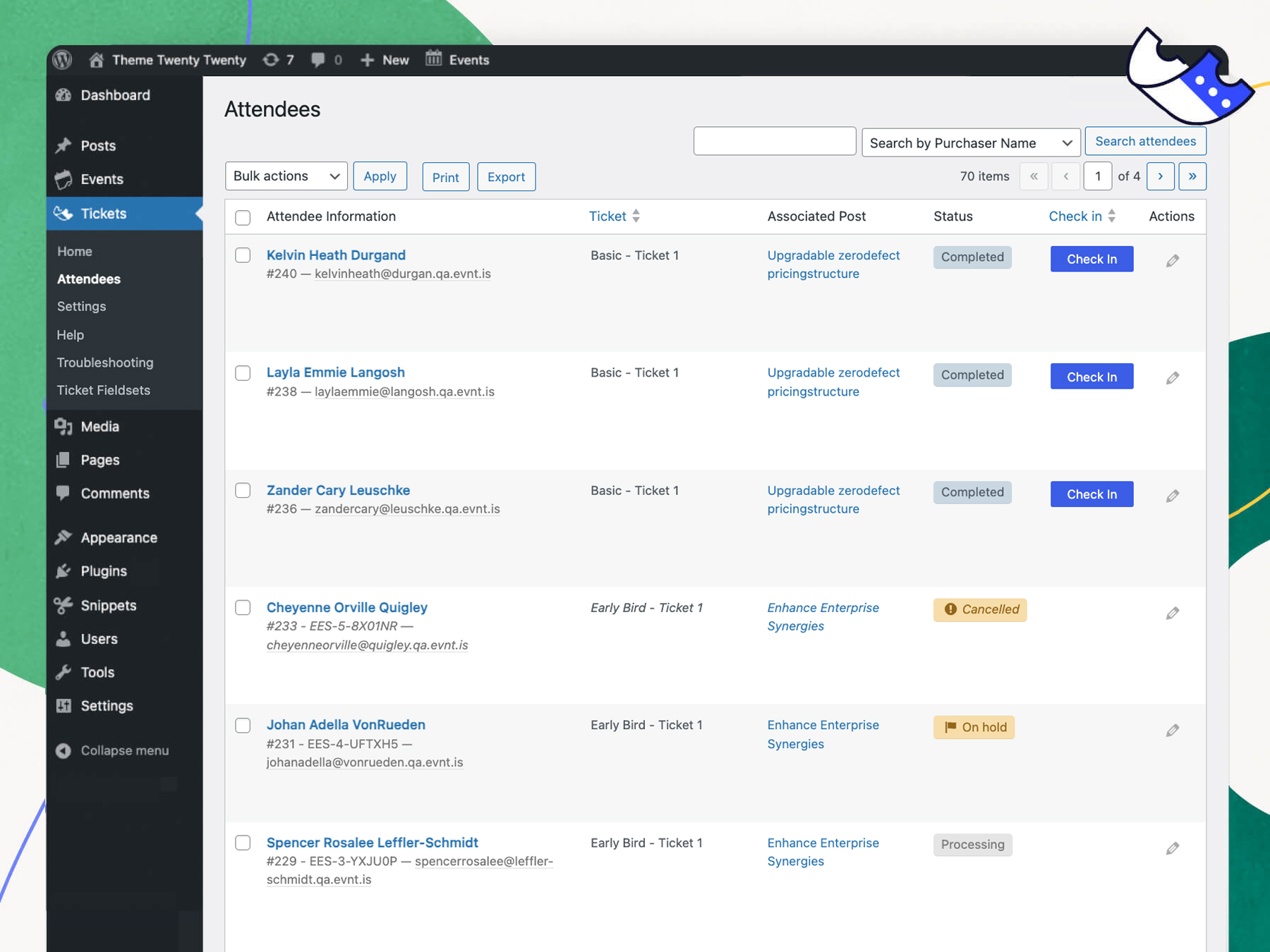
Customers can but tickets without leaving your site and the plugin provides attendee information
Advantages
- Free entry-level version
- Runs completely within WordPress
- Easy event creation
- Good compatibility with WordPress themes
- Ticket sales and attendee management
- Large user community
- Well-established supplier
Disadvantages
- Advanced ticket features require paid upgrades
- Some configuration may require technical assistance
Verdict
The Events Calendar - Event Tickets is probably the strongest overall option. It strikes an excellent balance between cost, usability, and functionality
Option 3: Event Espresso
Best for:
- Organisations running regular paid events
Event Espresso is a specialist WordPress event registration system designed specifically for ticket sales and attendee management within WordPress. It supports paid tickets, free tickets, automated emails, attendee lists and PayPal integration.
Unlike ticket marketplaces, Event Espresso keeps sales and attendee information inside the organisation's own WordPress website. The supplier also emphasises that it does not charge per-ticket commission fees.
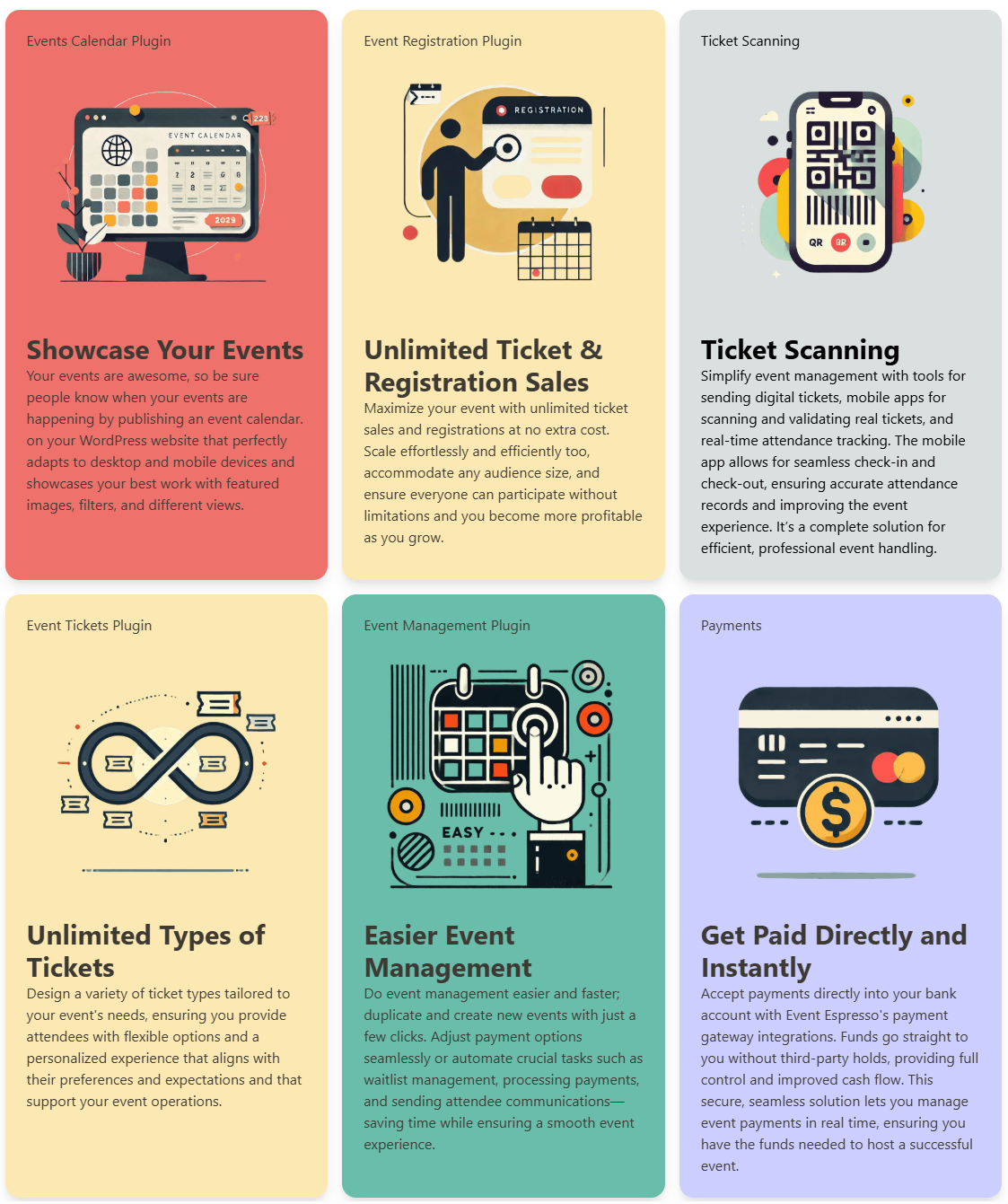
Event Espresso provides extensive functionality from within WordPress, but may be more than organisations with minimal events need.
Advantages
- Comprehensive attendee management
- Multiple ticket types
- Automated confirmations
- No commission charged per ticket by the platform
- Data remains within the organisation's website
Disadvantages
- More complex than needed for occasional events
- Greater learning curve for volunteers
- Premium features require annual licensing
Verdict
Event Espresso is an excellent product, but perhaps more powerful than most community organisations require.
Option 4: Eventbrite
Best for:
- Organisations seeking maximum simplicity
Eventbrite is one of the world's best-known ticketing platforms. Events are created on the Eventbrite platform and can then be linked from the organisation's website. Ticket buyers would be directed to Eventrite's correspondong event page where you have configured pricing and availability. Eventbrite provides event promotion, online payments, attendee management and check-in tools.
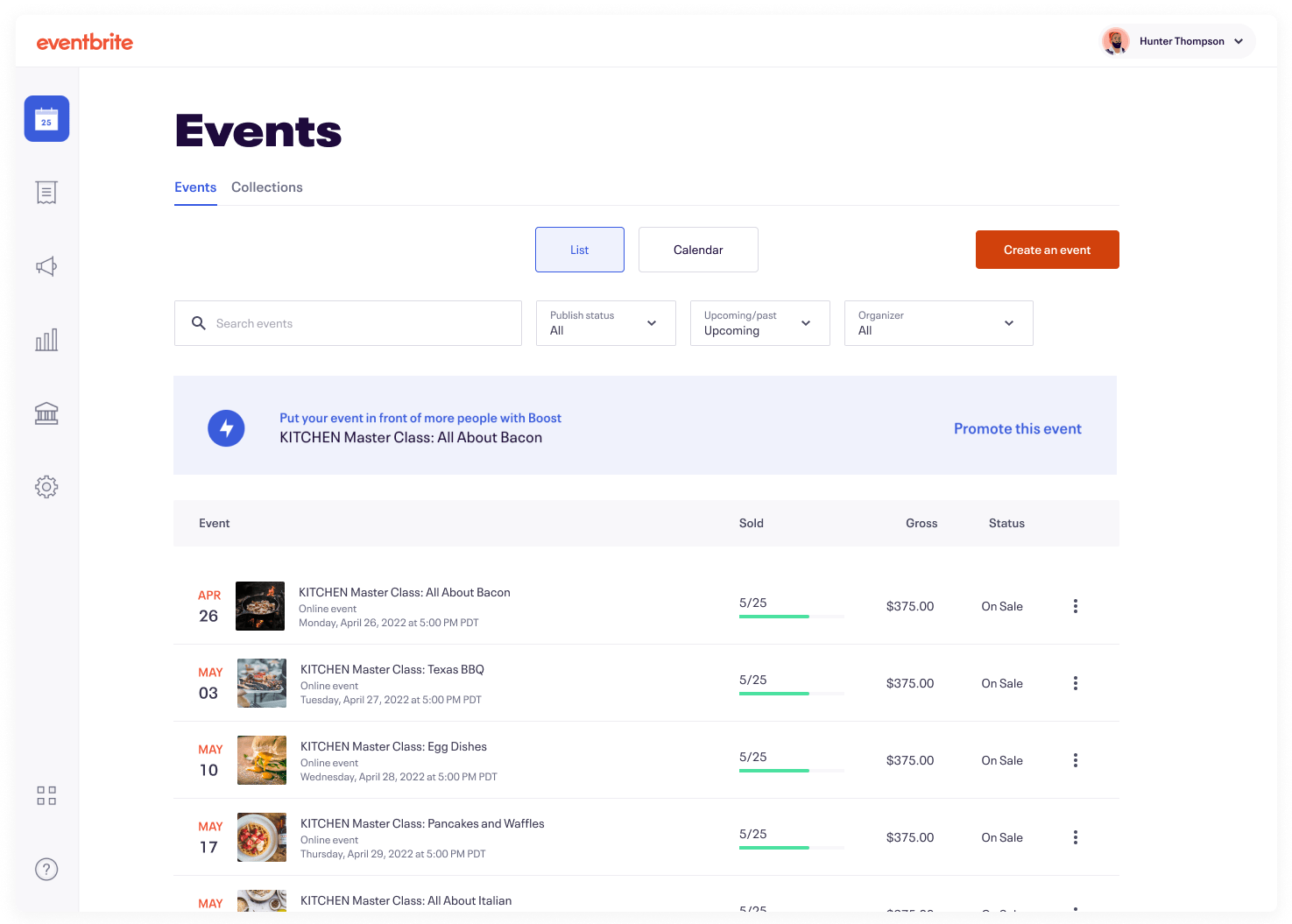
Eventbrite's manages the complete ticketing, marketing, and after sales via its web site. Events organised on Evenbrite are added to its searchable "local events" listings.
Advantages
- Easy for non-technical users
- Strong public recognition
- Built-in attendee management
- Event discovery marketplace
Disadvantages
- Ongoing ticket fees
- Event data primarily resides with a third-party platform
- Less integration with the organisation's own website brand
Vewrdict
Eventbrite is Ideal when convenience matters more than cost control.
Frequently Asked Questions
How do I setup event ticket software for WordPress?
Event Tickets and Event Espresso rely on WordPress plugins and also creation of pages or posts to manage an event. PayPal is interesting because you can organise a "Buy Now" button which you copy and paste into a post or a page. Eventbrite is a third party solution which is managed completely via an Eventbrite account.
Will visitors need a PayPal account?
No. Modern PayPal checkouts can also accept major debit and credit cards. PayPal can be configured for a tickets, donations, and subscriptions. Also, services like Event Tickets can be configured to receive payments for purchases too.
Can tickets still be sold on the door?
Yes. Many organisations use online ticket sales alongside cash or card payments at their events.
Is WooCommerce a good option?
WooCommerce is an excellent e-commerce platform, but for a small charity that simply wants to advertise events and sell tickets, it often introduces unnecessary administration and potentially complex management, needing professional support.
Will these systems work on a bilingual website?
Generally yes. Event descriptions are stored as ordinary web content and can normally be translated in the same way as other pages.
What happens when officers change?
The easiest systems to hand over are usually The Events Calendar and Eventbrite because they require little technical knowledge and have widely available documentation. As long as an authorised officer can log into PayPal, "Buy Now" buttons can be duplicated and edited with revised dates, price, and ticket stock limit.
Which supplier is most likely to remain available long term?
PayPal, Eventbrite and The Events Calendar all benefit from very large user bases and strong market positions. Event Espresso is smaller but has been established in the WordPress events sector for many years and remains actively developed.
Summary
For most volunteer-run organisations seeking event ticket software for WordPress, the strongest balance of affordability, simplicity and long-term continuity is The Events Calendar with Event Tickets. This is substantially easier to manage than a full WooCommerce shop while offering far more functionality than a simple PayPal button. For rapid deployment and minimal ongoing management/web design, PayPal serves an important market too.
About the Author
Based in Ruthin, North Wales, Steve Galloway helps businesses improve reliability, productivity and security through practical IT support, Microsoft 365 expertise, web server and web hosting support, troubleshooting and documentation. Find out more about Steve Galloway and his experience here.